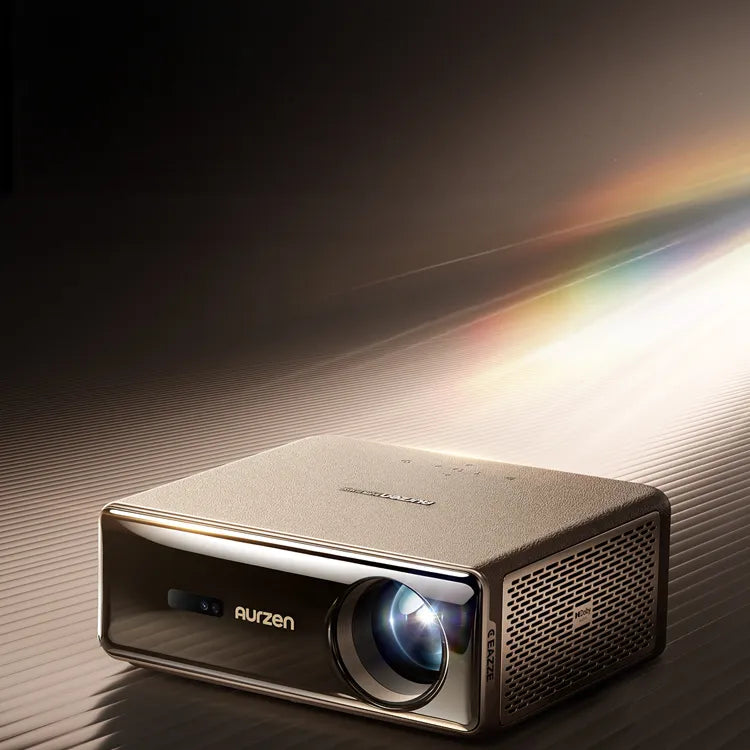


Aurzen EAZZE D1 MAX | Introduction
Tutorial-Videos
Wie Autofokus & Automatische Trapezkorrekturarbeiten |
So koppeln Sie die Bluetooth-Fernbedienung |
So verwenden Sie den Projektor als Bluetooth-Lautsprecher |
So passen Sie die Helligkeitseinstellungen an |
Wie man Staubflecken vom Bildschirm entfernt |
Bereitstellung von über 10.000 APPs und über 800 Free-TV-Kanälen mit Google TV
So laden Sie Apps herunter |
Wie man den manuellen Fokus verwendet & Manuelle Trapezkorrektur |
So verwenden Sie Google Cast |
So verwenden Sie den Google Assistant |
Wie man die intelligente Hindernisvermeidung nutzt |
So richten Sie ein Google Kids-Konto ein |
Ultra-sanfte Bewegung mit MEMC – Sehen Sie den Unterschied
Mit einem Klick Zugriff auf Netflix, Prime Video und YouTube & Kostenloses Fernsehen
So streamen Sie ein iPhone oder Android-Telefon auf den Projektor |
So stellen Sie eine Verbindung zu Dualband-WLAN (2,4 GHz/5 GHz) her |
So ändern Sie die Projektionsgröße, ohne den Projektor zu bewegen |
High Definition vom Feinsten – perfekt für Filmabende!
So streamen Sie Ihr iPhone oder Android-Smartphone mit Google Cast |
FAQ
Ist das wirklich das Google TV 14.0-System? Wie viele Apps und Free-TV-Kanäle werden unterstützt?
Ja, es handelt sich tatsächlich um das Google TV-System. Es bietet über 10.000 Apps, darunter Netflix, YouTube, Prime Video, Hulu, Disney+, Spotify und über 800 kostenlose Fernsehsender, wie beispielsweise Pluto TV, Yahoo Finance, BBC Earth, Moviesphere usw.
Wie stelle ich die Helligkeit ein?
Um die Helligkeit anzupassen, gehen Sie zu Einstellungen > Projektor > Energie & Leistung > HelligkeitsmodusDie
Wie macht MEMC das Seherlebnis flüssiger?
MEMC ist standardmäßig aktiviert. Sie können dies hier überprüfen oder anpassen: Einstellungen > Anzeige > Experteneinstellungen > MEMCDie
Wie koppele ich die Bluetooth-Fernbedienung beim ersten Einschalten des Projektors?
- Schalten Sie den Projektor ein und warten Sie, bis die Kopplungsaufforderung auf dem Bildschirm erscheint.
- Bringen Sie die Fernbedienung bis auf 10 cm an den Projektor heran und drücken und halten Sie dann gleichzeitig die Tasten „Home“ und „Back“.
- Warten Sie, bis die Kopplung abgeschlossen ist.
- Oder Sie können Bluetooth verwenden.>Zubehörpaar.
- Bringen Sie die Fernbedienung in einen Abstand von weniger als 10 cm zum Projektor und drücken und halten Sie dann gleichzeitig die Tasten „Home“ und „Back“, um in den Kopplungsmodus zu gelangen.
- Klicken Sie und warten Sie, bis die Kopplung abgeschlossen ist.
Wie richte ich ein Google-Kinderkonto ein?
- Klicken Sie auf das Avatarbild des Benutzers und wählen Sie „Konto hinzufügen“.
- Klicken Sie auf „Kind hinzufügen“ und folgen Sie den Anweisungen.
- Geben Sie die Informationen ein und erstellen Sie das Konto Ihres Kindes.
- Klicken Sie hier und wählen Sie das Konto Ihres Kindes aus.
- Legen Sie eine PIN für das Konto Ihrer Kinder fest.
- Wählen Sie Apps für das Konto Ihrer Kinder aus.
- Dann wird das Kinderkonto erstellt.
Wie verwende ich Google Assistant?
- Wecken Sie es mit der gerätespezifischen Aktivierungstaste auf.
- Stelle ihm Fragen oder gib Befehle wie „Öffne YouTube“ oder „Wie spät ist es?“.
Wie verwende ich Google Cast?
- Verbinden Sie zunächst Ihr Telefon und Ihren Projektor mit demselben WLAN-Netzwerk.
- Öffne eine Cast-fähige App und tippe auf das Cast-Symbol, um zu streamen.
Wie kann ich ein iPhone oder Android-Telefon auf den Projektor übertragen?
Stellen Sie sicher, dass beide Geräte mit demselben WLAN verbunden sind.
Für iPhone:
- Laden Sie die App „AirScreen“ herunter und öffnen Sie sie auf dem Projektor.
- Wählen Sie auf Ihrem iPhone „Bildschirmspiegelung“ und anschließend den Projektor aus.
Für Android:
- Laden Sie die „Google Home“-App herunter und öffnen Sie sie.
- In der App gehen Sie zu „Geräte“. > "Lokale Geräte", wählen Sie "D1Max" (oder den Namen Ihres Projektors) und tippen Sie auf "Meinen Bildschirm übertragen".
Aufgrund von Urheberrechtsbeschränkungen können manche Inhalte nicht auf den Projektor übertragen werden. Der Projektor verfügt jedoch über vorinstallierte, lizenzierte Streaming-Apps. Gehen Sie einfach auf die Startseite, wählen Sie „Apps“, suchen Sie die gewünschte App und melden Sie sich an, um Ihre Inhalte abzuspielen.
Wie lade ich die APP herunter und installiere sie?
- Click Apps>Suche nach Apps und Spielen.
- Suchen Sie die gewünschte App und klicken Sie auf „Installieren“.
Wie funktioniert der Autofokus? & Arbeiten zur Korrektur der Trapezverformung?
Autofokus und automatische Trapezkorrektur werden automatisch aktiviert, wenn der Projektor eingeschaltet wird oder Erschütterungen oder schnelle Bewegungen erkannt werden.
Wie verwende ich den elektrischen Fokus und die elektrische Trapezkorrektur?
- Für die elektrische Fokussierung drücken Sie die Taste „Fokus“ auf der Fernbedienung.
- Für die elektrische Trapezkorrektur: Gehen Sie zu Einstellungen>Projektor>Keystone>Manuelle Keystone-Einstellung, und verwenden Sie die Pfeiltasten zum Einstellen.
Wie nutzt man die intelligente Hindernisvermeidung?
- Gehen Sie zu den Einstellungen > Projektor > Keystone > Erweitert und „Automatische Vermeidung“ aktivieren.
- Erkennt Hindernisse mit Sensoren und passt den Projektionsbereich an.
Wie verwende ich den Projektor als Bluetooth-Lautsprecher?
Gehen Sie zu den Einstellungen > Projektor > Bluetooth-Lautsprechermodus, dann Projektor auswählen, um in den Bluetooth-Lautsprechermodus zu wechseln. Öffnen Sie anschließend die Bluetooth-Einstellungen Ihres Mobilgeräts und suchen Sie nach
Was ist die empfohlene optimale Betrachtungsgröße und Entfernung?
Wir empfehlen üblicherweise eine Bildschirmgröße von 80"–120" Der Projektionsabstand sollte zwischen 2,24 m (7,35 Fuß) und 3,47 m (11,38 Fuß) liegen. Der optimale Abstand kann je nach projiziertem Inhalt variieren. Passen Sie ihn daher bitte gegebenenfalls an.
Benutzerhandbuch
| Title | Last Updated | Size | Language | Download |
|---|---|---|---|---|
| 23.01.2026 | 6,68 MB | Englisch | ||
| 23.01.2026 | 7,18 MB | Spanisch | ||
| 23.01.2026 | 7,06 MB | Deutsch | ||
| 23.01.2026 | 7,15 MB | Französisch | ||
| 23.01.2026 | 7,18 MB | Italienisch | ||
| 23.01.2026 | 6,98 MB | 日本語 |