
How to Watch the World Cup on a Projector at Home

Watching the World Cup on a projector can turn a regular match into something that feels much closer to a real event. Instead of crowding around a standard TV, you get a larger image, a more social setup, and a better sense of atmosphere for every pass, shot, and goal.
With the FIFA World Cup 2026 running from June 11 to July 19, 2026, and with matches available in the U.S. through broadcasters such as FOX, FS1, Telemundo, and Universo, many fans will be looking for a simple way to create a bigger home viewing experience.
The good news is that watching the World Cup on a projector at home is not complicated. In most cases, it comes down to five things: choosing the right room, getting the screen size right, controlling light, making sure you can access the match easily, and creating sound that feels exciting enough for game day.
How do you watch the World Cup on a projector at home?
To watch the World Cup on a projector at home, you need:
- A projector that fits your room and viewing habits
- A wall or screen large enough for comfortable viewing
- Access to the official streaming or broadcast platform in your region
- A seating and sound setup that works for live sports
- Basic light control so the image keeps its punch during the match
If your setup is easy enough to use on an ordinary weeknight, it will also work well for major tournament matches.
Step 1: Choose the right room first
The room matters more than many people expect.
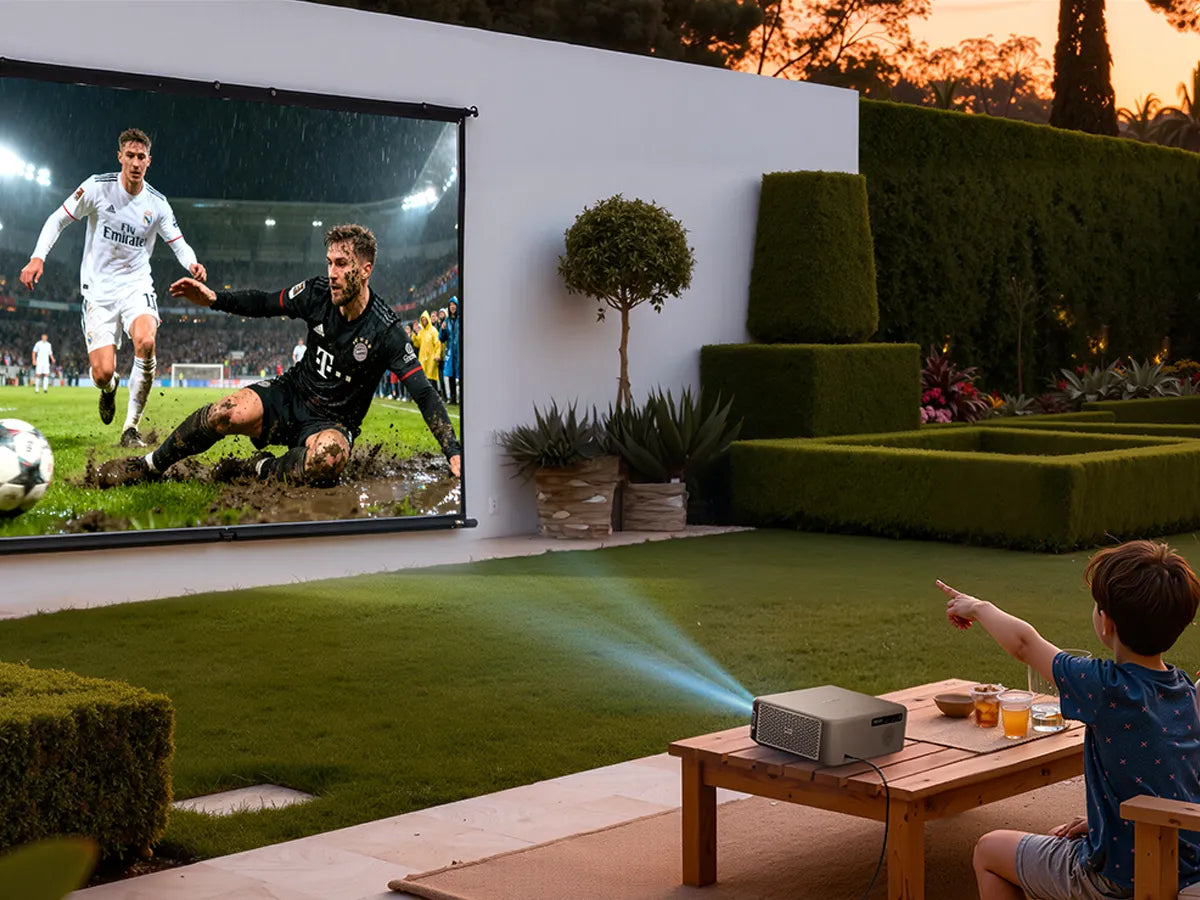
For soccer, you want a space where people can watch comfortably for a full match without feeling squeezed together or too far from the image. A living room is usually the easiest choice because it already has seating, power access, and a layout built for shared viewing. A bedroom can also work for solo or couple viewing, while a backyard setup can be fun for special games if you are watching later in the day or after sunset.
The key is not to choose the biggest possible space. It is to choose the room where the projector can look strong, sound clear, and feel easy to use.

Step 2: Pick a screen size that fits the match and the room
A larger image is one of the biggest reasons people choose a projector for sports. But bigger is not always better.
For many homes, a screen size around 100 to 120 inches feels large enough to make the game immersive without making the picture look weak in normal room conditions. If the image is too large for the projector and the room, brightness and contrast can drop, especially for daytime matches. That is why a strong-looking 100-inch image often gives a better sports experience than pushing for the biggest possible size.
For soccer, this matters even more because the eye needs to follow movement across the whole field. A good size should make the action feel bigger, not harder to track.
Step 3: Manage room lighting for a better sports picture
Ambient light is one of the biggest reasons a sports setup can feel disappointing.
If you are watching an afternoon match, light from windows can reduce contrast and make colors feel flatter. Even a good projector will look better with some light control. Closing curtains, lowering blinds, or choosing a wall away from direct sunlight can make a noticeable difference.
That does not mean every match has to be watched in a dark theater-like room. It just means the more you control unnecessary light, the better the image will hold up. For casual daytime viewing, a balanced setup usually works best: enough light to keep the room comfortable, but not so much that the image loses impact.
Step 4: Make sure match access is simple
One of the easiest ways to ruin game day is to turn setup into a last-minute troubleshooting session.
Before the tournament starts, make sure you know exactly how you will access the match. In the United States, the 2026 FIFA World Cup will air across FOX and FS1, with Spanish-language coverage on Telemundo and Universo, and live streaming also available through FOX platforms.
The practical takeaway is simple: the easier it is to get from turning on the projector to finding the match, the better the overall experience will feel.
That is also why projectors with built-in smart TV functionality can fit sports viewing especially well. Instead of adding multiple extra devices, a setup with integrated streaming access keeps match night smoother and less stressful.
Step 5: Do not overlook sound
A lot of people think a projector setup is mostly about screen size. For sports, sound is a huge part of the experience.
Crowd reactions, commentary, stadium noise, whistles, and those sudden volume spikes after a goal all add energy to the match. Without decent audio, even a large picture can feel flatter than expected. With better audio, the same game feels more alive.
That is where a projector like the Aurzen BOOM mini Google TV Smart Projector fits naturally into a World Cup setup. If your goal is to make the match feel more engaging without building a complicated external audio system right away, its Dual 10W Dolby Audio and VibeBass™ Immersive Sound align especially well with the social, high-energy atmosphere that makes tournament viewing fun at home.

Step 6: Set up seating for shared viewing
A projector setup works best when people can actually enjoy the image comfortably.
For a World Cup match, seating should feel natural and relaxed. You do not need a formal home theater layout, but you do want viewers facing the screen without awkward angles or blocked sightlines. If you are hosting friends, it helps to think in layers: sofa first, chairs second, floor cushions or stools third.
This matters because a great soccer viewing setup is not just about what the projector can do. It is about whether the whole room feels ready for a 90-minute match, extra time, or penalties.
Step 7: Test everything before match day
The best setup is the one that has already been tested.
Do a full run-through before the tournament or before any important match. Check your streaming access, remote control, volume level, Wi-Fi stability, and placement. If you are using a wall instead of a screen, see whether the image still looks clean and centered from the main seating position. If you are watching with others, test the sound from different spots in the room.
Even a simple 10-minute test can prevent a lot of stress right before kickoff.
What is the best projector setup for World Cup viewing at home?
The best World Cup projector setup usually looks like this:
- A living room or similar shared space
- A 100-inch to 120-inch image
- Some level of curtain or blind control
- Built-in smart TV access or an easy streaming path
- Sound that feels strong enough for group viewing
- Seats arranged for a clear front-facing view
In other words, the best setup is usually not the most technical one. It is the one that feels easy, comfortable, and exciting enough that people actually want to use it for every big match.
Projector vs TV for World Cup viewing
A TV is easier in some ways. A projector is bigger in feeling.
If all you want is the most straightforward viewing option, a TV is still the simplest solution. But if you want the World Cup to feel more immersive, especially with family or friends, a projector changes the atmosphere. It creates more of a shared event and helps the room feel more focused on the match itself.
That difference is exactly why projectors work so well for tournaments. The World Cup is not ordinary daily viewing. People treat it differently. A projector setup reflects that.
Final thoughts
Watching the World Cup on a projector at home does not require a complicated home theater plan. It just requires a setup that makes sense for how you actually watch.
Start with the room. Choose a realistic screen size. Control light where you can. Make sure match access is easy. And do not underestimate the value of sound, especially if you are watching with other people.
For buyers who want a setup that feels lively and easy to enjoy for tournament nights, the Aurzen BOOM mini Google TV Smart Projector is a natural fit to mention here, because its Dual 10W Dolby Audio and VibeBass™ Immersive Sound support exactly the kind of atmosphere that makes World Cup viewing at home more exciting.
FAQ
Can you watch the World Cup on a projector at home?
Yes. You can watch the World Cup on a projector at home as long as you have access to the official broadcaster or streaming platform in your region and a setup that fits your room.
What do I need to watch soccer on a projector?
At minimum, you need a projector, a wall or screen, a way to access the match, and enough lighting control for the image to stay clear and watchable.
Is a projector good for sports viewing?
Yes. A projector can be excellent for sports because it creates a larger, more social viewing experience, especially for major events like the World Cup.
What screen size is best for watching the World Cup on a projector?
For many homes, a 100-inch to 120-inch image is a practical starting point. It is large enough to feel immersive without becoming too difficult to support in normal room lighting.
Is sound important when watching soccer on a projector?
Very much so. Crowd noise, commentary, and match atmosphere are a big part of what makes live soccer exciting, especially during tournament viewing.
Read More
- What Is MEMC? Motion Smoothing for Projectors (Pros, Cons, and Best Settings)
- Best Projector for Watching Soccer and Sports in 2026
- What Is Dolby Vision—and Does It Really Matter for Projectors?
- Google TV or Roku: What’s the Best Streaming Platform for Your Home Projector?
- Are Aurzen Projectors Suitable for Home Theater Setups?


