
How to Watch Fast-Moving Sports Without Motion Blur on a Projector

Watching sports on a projector can feel incredible when the image is large, clear, and easy to follow. But when motion blur shows up, the experience changes fast. The game can start to look softer, less stable, and more tiring to watch—especially during quick transitions, long passes, fast camera pans, or crowded action near the goal.
That matters even more in 2026, with the FIFA World Cup running from June 11 to July 19, 2026 across 104 matches. For many fans, this tournament will be a reason to move from ordinary TV viewing to a bigger-screen setup at home. And once you start thinking about sports on a projector, motion performance becomes one of the most important factors to get right
Why does motion blur happen on a projector?
Motion blur happens when a projector cannot present fast movement cleanly enough for the eye to track comfortably. This tends to show up more clearly during sports because the image is constantly moving and the camera often pans across a large area.
In simple terms, sports exposes weak motion handling faster than slower content does. A projector may look fine during casual video or slower-paced scenes, but still struggle once a soccer ball is moving quickly across the screen or the broadcast camera changes direction rapidly. Multiple projector guides and motion-smoothing explainers point to fast movement, motion interpolation, and frame handling as the reason sports viewers notice blur, judder, or ghosting more quickly than other audiences.
Why soccer and live sports make motion blur more noticeable
Not all content stresses a projector in the same way.
Movies often use slower camera language and more controlled motion. Sports does the opposite. Soccer, basketball, racing, hockey, and other live events contain rapid movement, quick broadcast cuts, scoreboard graphics, and constant directional changes. Soccer is especially demanding because the eye has to follow both the ball and the movement of players across a wide field.
That is why sports buyers often describe a projector as looking “fine for movies” but “not as good for games.” It is not always about resolution. It is often about whether motion stays clean enough to preserve the excitement of the action. Current sports-projector buying guides increasingly call out motion handling, refresh performance, and MEMC-style smoothing as key differences between a projector that only looks big and one that actually feels good for live sports.
What motion blur looks like during a match
Motion blur is not always dramatic. Often, it shows up as a subtle feeling that the image is not keeping up with the game.
You might notice it when:
- The ball becomes harder to track during long passes
- Wide camera pans feel less stable
- Fast breaks or counterattacks look softer than expected
- Player movement appears less defined in motion than when paused
- The broadcast looks less crisp during action than during close-ups
This is one reason many people underestimate motion performance while shopping. On a product page, it is easy to focus on screen size, brightness, or resolution. During an actual match, motion quality often becomes one of the first things you feel.

What causes projector motion blur?
There is no single cause. Motion blur can come from a combination of factors, including frame handling, processing speed, motion interpolation quality, source quality, and the way fast movement is rendered on a large projected image.
Projector and display explainers commonly point to a few main contributors:
- Fast content leaves more visible gaps between frames
- Poor motion processing can increase blur or judder
- Weak interpolation can make motion look unstable
- Larger images make motion flaws easier to notice
- Room conditions and viewing distance can make softness feel worse
Motion smoothing technologies such as MEMC are designed to help reduce these issues by generating additional frames between existing ones, helping movement appear smoother and easier to follow. BenQ’s explanation of motion smoothing describes this process as adding intermediate frames to reduce judder and blur in fast-moving scenes.
What is MEMC, and why does it matter for sports?
MEMC stands for motion estimation and motion compensation. In practical terms, it is a motion-processing feature designed to make movement appear smoother by inserting additional frames between original ones.
This is especially relevant for sports. Fast matches create exactly the kind of visual stress that MEMC is meant to address: rapid camera pans, quick movement across the screen, and high-speed transitions between players or objects. Motion-smoothing guides for projectors repeatedly point to sports and action content as the clearest use case for this kind of feature, because it can reduce the distracting softness or instability viewers notice during fast scenes.
For that reason, a projector like the Aurzen EAZZE D1 MAX Google TV Smart Projector fits naturally into this conversation. For sports viewers, one of its most relevant advantages is MEMC Motion Technology – Smooth, Blur-Free Action, which directly aligns with the needs of fast-moving content like soccer, where following the ball and the flow of play comfortably matters more than static picture quality alone.
Is motion smoothing always a good thing?
For sports, usually yes—at least more often than for movies.
Some viewers dislike motion smoothing for cinematic content because it can create the “soap opera effect,” making movies feel less film-like. BenQ’s guidance on motion smoothing notes exactly this tension: film lovers often prefer it off for movies, while action-heavy content can benefit more clearly from it.
Sports is different. The goal is not to preserve a cinematic feel. The goal is to make the game easier and more enjoyable to watch. That makes motion smoothing much more practical for soccer, basketball, racing, and similar content than it is for movies.
Brightness and motion are different problems
A lot of buyers mix these up.
Brightness affects how well the picture holds up in ambient light. Motion handling affects how clearly fast action appears while it is moving. A brighter projector can still look blurry during a fast match. A projector with better motion performance can still look washed out in a bright room.
For sports, both matter, but they solve different issues. The best projector for soccer usually balances usable brightness, easy setup, decent sound, and motion features that help the image stay comfortable to track. Sports-focused projector guides in 2026 increasingly frame buying decisions exactly this way rather than reducing everything to a single brightness or resolution number.
How to reduce motion blur when watching sports on a projector
If your current setup feels softer than expected during live games, a few changes can help.
1. Use a projector with motion-focused processing
This is the biggest upgrade path for frequent sports viewers.
2. Keep your image size realistic
An oversized image can make softness more noticeable.
3. Improve the source quality
A better stream or cleaner signal helps the projector work with stronger input.
4. Watch in better lighting conditions
While lighting does not directly create motion blur, poor contrast can make motion problems feel worse.
5. Sit at a comfortable distance
If you are too close to a very large image, motion imperfections can become more obvious.
These steps will not turn every projector into a sports-focused model, but they do help you get closer to a cleaner and more enjoyable game-day experience.
Projector vs TV: Who notices motion blur more?
People often assume TVs are automatically better at motion. In reality, both TVs and projectors vary a lot.
The difference is that projectors create a much larger image, which can make motion issues easier to notice. On the other hand, a projector with strong motion handling can create a far more immersive sports experience than a TV simply because the scale changes how the game feels.
So the better question is not whether TVs or projectors are better in theory. It is whether the projector you choose is designed to handle sports well enough in practice.
What should sports fans look for in a projector?
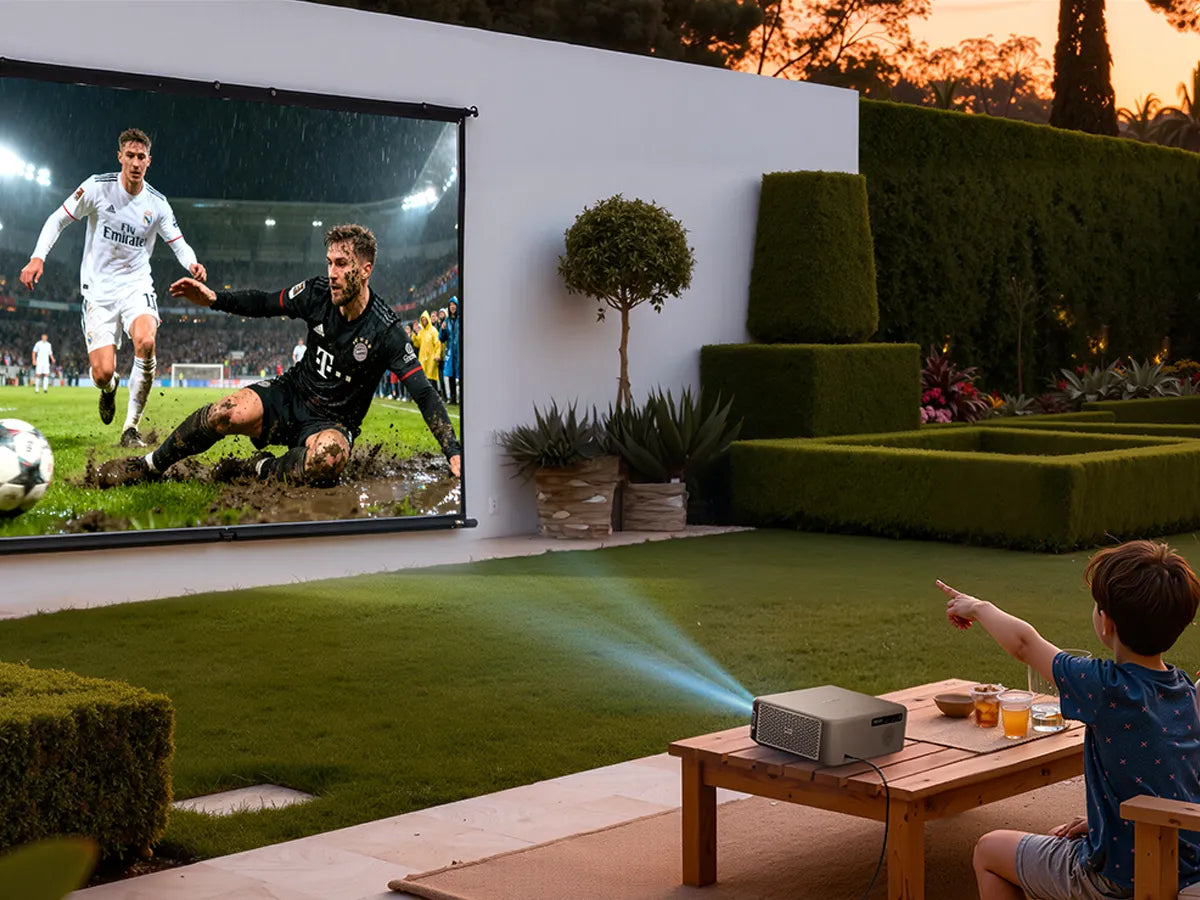
If your main use case is soccer or other fast-moving sports, focus on these priorities:
Motion handling
This should be near the top of the list, not buried underneath resolution.
Brightness for your actual room
A projector needs to fit the way and when you watch.
Ease of streaming access
The easier it is to launch the match, the more often the projector gets used.
Sound quality
Crowd noise and commentary matter more than many buyers realize.
Screen size discipline
A strong-looking image is better than the biggest possible image.
This is exactly why sports-focused guides now emphasize categories and use cases more than headline specs alone. A projector that fits your actual game-day habits is usually the better long-term choice.
Final thoughts
Motion blur is one of the easiest ways for a projector sports setup to feel disappointing—even when the screen looks impressively large.
That is because sports are not static content. It is movement, speed, transitions, and constant visual change. The better a projector handles motion, the easier it is to stay engaged in the game and enjoy the scale that projection is meant to deliver.
For soccer fans and other sports viewers who care about smoother on-screen action, the Aurzen EAZZE D1 MAX Google TV Smart Projector is a natural model to mention here because its MEMC Motion Technology – Smooth, Blur-Free Action directly addresses one of the most important parts of live sports viewing: keeping fast play clearer, steadier, and more comfortable to watch.
Read More
- Outdoor Projector Setup for a Soccer Watch Party
- How to Watch the World Cup on a Projector at Home
- What Is MEMC? Motion Smoothing for Projectors (Pros, Cons, and Best Settings)
- Best Projector for Watching Soccer and Sports in 2026
- Google TV or Roku: What’s the Best Streaming Platform for Your Home Projector?


